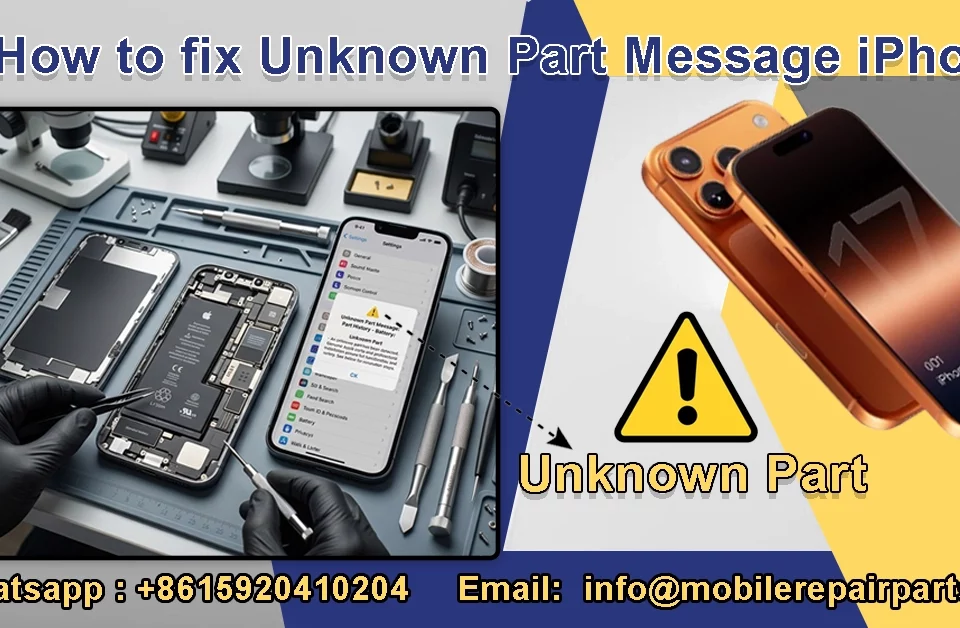


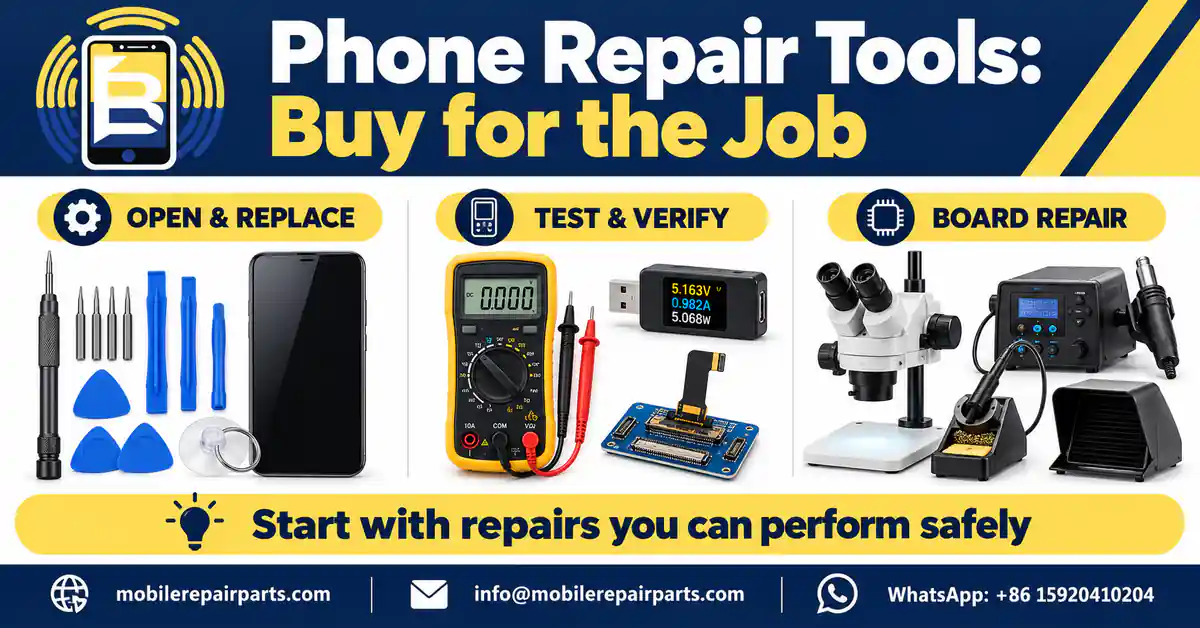
A phone is waiting for a new screen, but the driver slips, the opening tool bends, and nobody has checked whether the replacement display works. That is how a straightforward job becomes damaged stock and an unhappy customer. The right phone repair tools help you open safely, diagnose before replacing, and verify the finished repair—not simply fill a workbench. This guide helps technicians, shop owners, and wholesale buyers choose equipment by the jobs they perform. For matching tools with replacement inventory, use our iPhone spare parts guide for wholesalers alongside this equipment checklist.
📘 Summary
Start with a safe replacement bench, add diagnostic equipment when it solves a recurring problem, and invest in board-repair machines only when your technicians have the training to use them.
🔍 Key Highlights
- Buy correct-fit drivers, plastic opening tools, ESD protection, screw storage, approved cleaning supplies, and model-appropriate opening equipment first.
- A USB meter or screen tester supports diagnosis; it does not prove that every phone function is working.
- Confirm device support, adapter revision, voltage rating, plug type, consumables, and warranty before a bulk order.
- Do not assume a programmer makes an aftermarket part genuine or replaces manufacturer calibration.
- For Honduras and other export markets, confirm the actual bench power supply and service support—not just the destination country.
Table of Contents
What Phone Repair Tools Do You Need to Start?
For screen, battery, and replaceable-module work, start with tools that protect the device: precise drivers, nonconductive opening tools, an ESD-safe workspace, organized screw storage, fine tweezers, suitable cleaners, and the opening equipment specified for each model. A good cell phone repair tool kit covers your accepted repairs; it does not make every repair appropriate for a beginner.
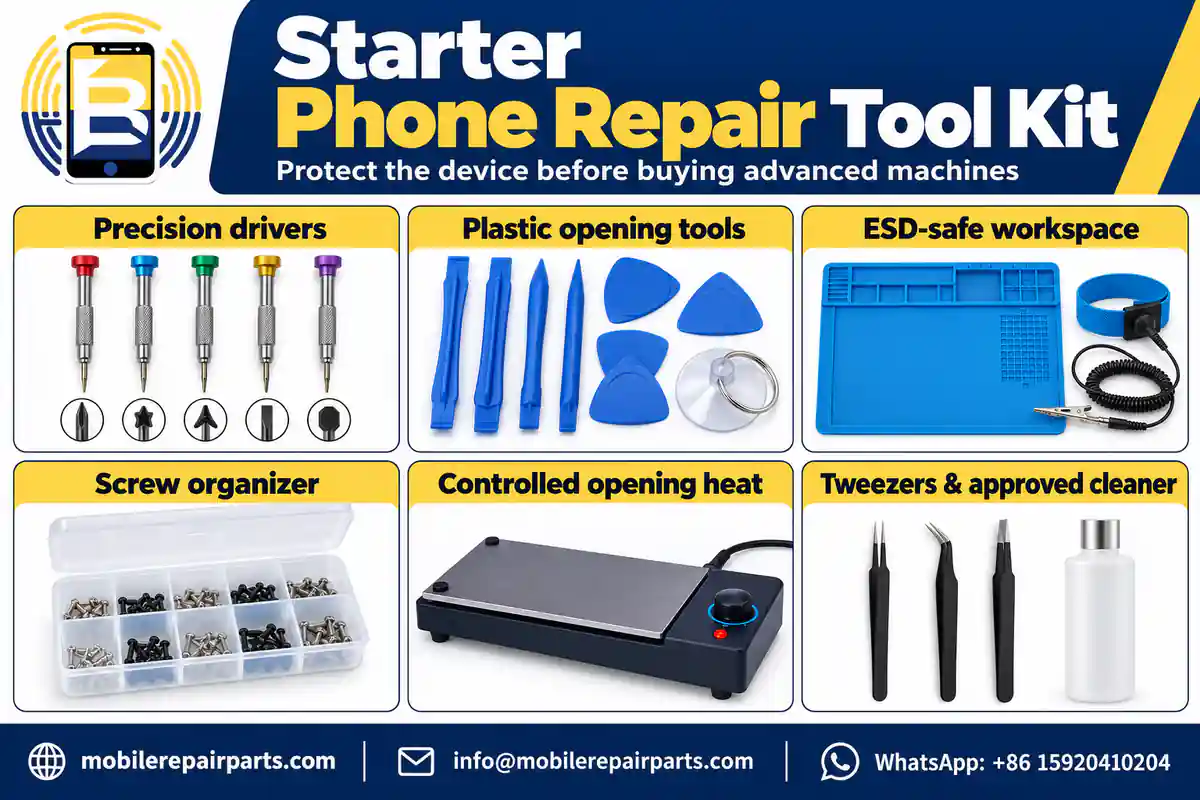
- Match the driver and bit to the service manual; inspect worn tips before use.
- Use plastic picks and nylon spudgers where the procedure calls for nonconductive tools.
- Prepare ESD controls, lighting, eye protection, and a clear workspace before opening the device.
- Keep screws and brackets mapped to their original positions.
- Follow model-specific adhesive, heating, battery-handling, and reassembly instructions.
Manufacturers may require additional fixtures or presses. For example, Apple’s iPhone 13 battery procedure lists a repair tray, battery press, ESD-safe handling tools, and protective equipment. Treat a generic kit as a starting point, not a substitute for the device’s repair manual.
Phone Repair Tools at a Glance: Function and Buying Priority
The priorities below are workflow recommendations, not measured sales rankings. Move a tool up the list when it addresses work your shop actually accepts.
| Tool group | Main job | When you need it | Buying priority |
|---|---|---|---|
| Precision drivers | Remove and reinstall screws | Opening and reassembly | Start |
| Plastic opening tools and suction | Separate covers and disconnect supported connectors | Replaceable-module repairs | Start |
| ESD controls and organizers | Protect electronics; track screws | Every opened-device job | Start |
| Controlled opening equipment | Release adhesive using the approved procedure | Adhesive-sealed models | Model-dependent |
| Tweezers and cleaning supplies | Handle small parts; remove suitable residues | Inspection and assembly | Start |
| Digital multimeter | Measure specified electrical conditions | Trained electrical diagnosis | Early diagnostic upgrade |
| USB meter and compatible testers | Check power behavior or a supported part | Charging and display intake tests | As workload requires |
| Current-limited DC supply | Support controlled board diagnosis | Trained board-level work | Advanced |
| Microscope | Inspect tiny contacts and solder joints | Detailed inspection and microsoldering | Match to task |
| Soldering, hot air, and extraction | Rework board-mounted components | Trained board-level repair | Advanced package |
10 Essential Tool Groups for a Smartphone Repair Shop
1. Precision Screwdriver Set
Choose accurately machined tips, a stable rotating cap, and replaceable bits that fit your device mix. The wrong profile—or a rounded tip—can damage a screw before the phone is open. Do not use a similar-looking bit to force the job.
Keep everyday sizes at each bench and follow specified torque where applicable. Our phone repair screwdriver guide explains this tool category in more detail. For wholesale kits, request the exact included bit list rather than buying on piece count alone.
2. Plastic Opening Tools and Suction Equipment
Plastic picks, nylon spudgers, and suitable suction equipment help control the opening process. A phone screen removal tool should match the construction of the device; it is not permission to pry deeply into an unknown assembly. Check cable locations and insertion limits in the repair procedure.
Metal blades have specific applications, but they are not universal battery-removal tools. For kit selection, compare our opening tool kits against the models you service. Replace damaged picks rather than risking scratches or a torn flex.
3. ESD-Safe Workspace and Screw Organization
Electrostatic-discharge protection is a system: suitable handling practices, correctly installed equipment, and checks that the controls work. A mat labeled anti-static is not proof of a functioning protected workstation. Have the setup checked appropriately; do not improvise connections to electrical equipment.
Use a compartment tray or screw map for every job. Mixing screw lengths can create reassembly damage. For distributors, separate reusable ESD equipment from expendable organizers and replacement accessories in the purchasing list.
4. Controlled Heating and Opening Fixtures
Some sealed phones require controlled heat or dedicated opening fixtures. Follow the model’s procedure rather than applying one temperature to every display, battery, or back cover. The tool’s setpoint is not automatically the temperature reaching the component.
A separator used for display refurbishment is a different investment from equipment used to open a phone. Confirm the fixture, heating method, consumables, and operator training before adding either machine to a wholesale order.
5. Precision Tweezers and Approved Cleaning Supplies
Choose tips that meet cleanly and grip without excessive pressure. Use straight or angled tweezers according to access, and avoid puncturing cells or crushing flex cables. Nonconductive tools remain necessary where the procedure requires them.
Match cleaners to the material and service instructions. Keep containers identified and follow the safety data sheet, ventilation, and drying requirements. An ultrasonic cleaner is not permission to immerse an assembled phone, battery, display, or any unverified component.
6. Digital Multimeter
A digital multimeter helps a trained technician investigate voltage, continuity, resistance, or diode-mode behavior. Check the leads, sockets, meter mode, and intended measurement before probing. Fluke’s resistance measurement guidance requires the circuit to be powered off and notes that parallel paths can affect readings.
A continuity beep alone does not establish that a phone rail is faulty. Interpret measurements using the circuit and a suitable reference. Potentiometers and breadboards are electronics-learning or prototyping tools, not replacements for professional phone diagnosis. Browse repair multimeters with probe quality and documented functions in mind.
7. USB Power Meter and Model-Compatible Testers
A compatible USB power meter helps compare charging behavior with a known-good cable and charger. It does not identify every fault or replace a complete charging test. Match connector type, voltage/current rating, and protocol support; unsuitable adapters can alter the result.
A supported screen tester can help inspect image patterns and touch response before installation. Confirm the tester’s device list, adapter revision, and supported functions in writing. Our phone parts testers category is a place to compare options—not a claim that one tester supports every display.
8. Current-Limited DC Power Supply
A bench power supply belongs in a trained diagnostic workflow, with model-appropriate connections and protection. Current behavior is evidence to interpret alongside the symptom and circuit information, not a universal pass/fail code.
Do not apply arbitrary voltage to a connector or inject power into an unidentified rail. When comparing DC power supplies for repair, assess controllable output, current limiting, appropriate leads, documentation, and serviceability before headline wattage.
9. Stereo or Digital Microscope
A microscope helps reveal damaged contacts, corrosion, lifted pads, and solder-joint problems. For manual board work, consider working distance, depth perception, lighting, stability, and hand clearance—not magnification alone.
A camera is useful for training and documenting inspection. It is not automatically a substitute for comfortable direct viewing. Compare stereo repair microscopes using the tasks and space at your bench; you do not need to buy two separate microscopes merely to start.
10. Soldering, Hot-Air Rework, and Fume Control
Buy board-repair equipment as a working system: suitable iron and tips, controlled hot air, fixtures, consumables, inspection equipment, and appropriate fume control. A combination station may include an iron, but not every hot-air station does. Verify the supplied accessories.
Board-mounted port replacement differs from swapping a complete charging flex. The former requires soldering skills and process control. Read our rework station guide before comparing machines. The UK HSE identifies rosin-based solder flux fume as a cause of occupational asthma and discusses controls including local exhaust ventilation in its solder-flux fume guidance. Follow applicable local safety requirements too.
Replacement Work Is Not the Same as Board Repair
Define your service boundary before buying machines. A technician replacing a complete supported display assembly needs a different bench from someone removing a soldered connector or repairing a board trace.
| Repair workflow | Equipment emphasis | Training requirement | Common purchasing mistake |
|---|---|---|---|
| Display, battery, or module replacement | Opening tools, fixtures, protection, functional testing | Model-specific safe handling and reassembly | Buying machines instead of the required adapters |
| Electrical diagnosis | Multimeter, compatible USB meter, references | Safe measurements and circuit interpretation | Calling one reading a complete diagnosis |
| Board-mounted component repair | Microscope, iron, hot air, fixtures, extraction | Microsoldering and board-level diagnosis | Treating a station as a substitute for training |
| Display refurbishment | Dedicated process equipment and fixtures | Refurbishment-specific process control | Confusing glass refurbishment with assembly replacement |
Where Do Programmers and Calibration Fit?
A programmer is a task-specific purchase. Depending on documented support, it may read or transfer selected data, but it does not turn an aftermarket component into a genuine part or guarantee biometric functionality. Verify the exact model, component, software version, adapters, and limitations before ordering.
Apple’s Repair Assistant documentation describes installing calibration data for supported repairs. Its stated prerequisites include Wi-Fi, the latest applicable system software, and more than 20% battery. That battery threshold applies to running Repair Assistant—not to safely opening a phone or removing a battery. Confirm support for the specific model and part; do not promise universal activation or calibration.
A Diagnostic Workflow That Avoids Blind Part Replacement
Use tools to answer one question at a time. If a charging complaint appears only with the customer’s cable, replacing the charging assembly before testing the cable creates an unnecessary part sale and a likely return.
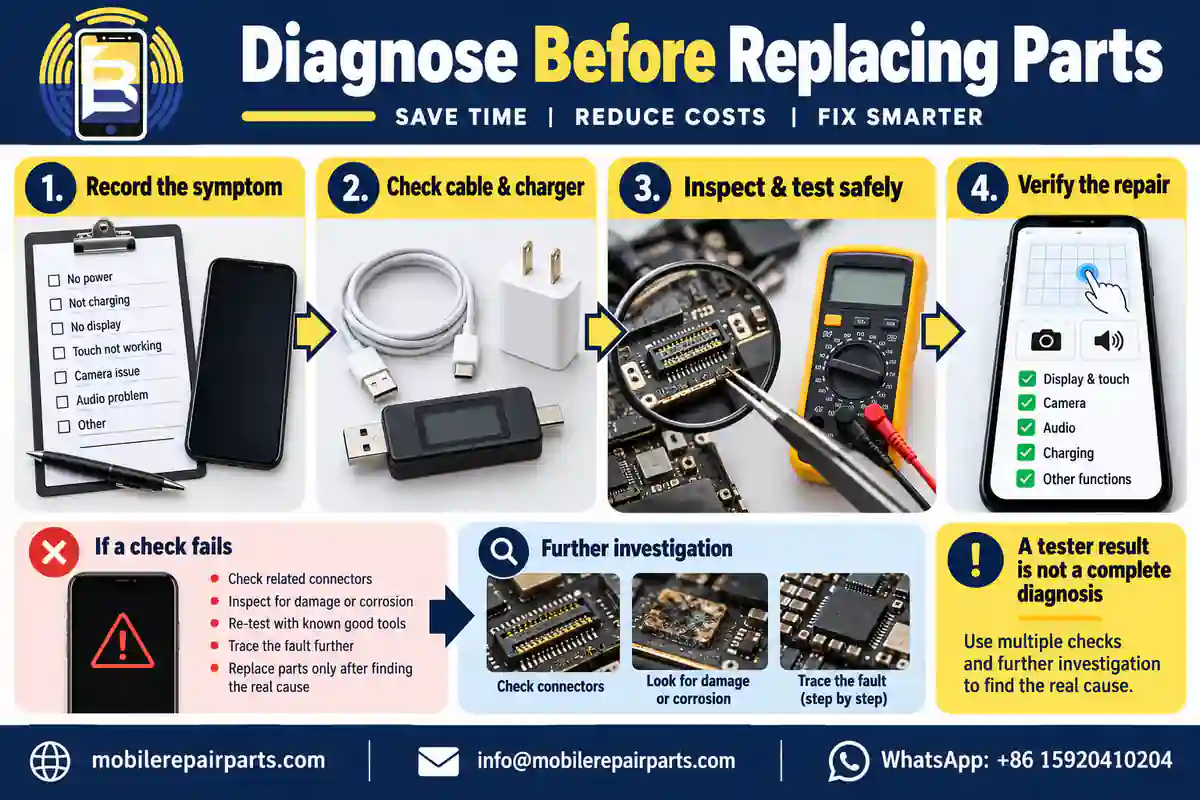
| Checkpoint | Practical action | What to record | What it does not prove |
|---|---|---|---|
| Intake | Record symptom, model, prior repair, and visible condition | Job reference and customer complaint | Which internal component has failed |
| External checks | Compare compatible known-good cable and charger; inspect safely | Changed or unchanged behavior | That a port or board is good |
| Targeted diagnosis | Use appropriate inspection and trained measurements | Test conditions and observations | Universal compatibility or calibration |
| Part verification | Match exact model and test supported functions before closure | Part reference and relevant test result | Every assembled-device function |
| Final check | Test charging, touch, cameras, audio, sensors, and other affected functions | Pass, fail, or further investigation | Restored water resistance without the required process |
Keep intake and final results together. A display that works on a tester can still reveal an installation issue inside the device. If a test result is ambiguous, investigate or escalate the job rather than labeling the replacement part defective immediately.
Build Your Phone Repair Equipment Budget in Three Stages
The best tools needed to start a phone repair business are the ones that support a safe, clearly defined service menu. Expand that menu when training, test capability, and customer work justify the next purchase.
| Stage | Buy for this capability | Move forward when | Hold back on |
|---|---|---|---|
| 1. Replacement bench | Protected workspace; correct drivers; opening/handling tools; required fixtures | Your accepted replacement jobs can be completed and checked consistently | Unsupported repairs and duplicate tool bundles |
| 2. Diagnostic bench | Multimeter; compatible power meter/testers; useful magnification | Recurring faults require more evidence before selecting parts | Universal tester claims without a supported model list |
| 3. Board-repair bench | Microscope; controlled supply; iron/hot air; fixtures; extraction; training | A trained technician and actual board-work demand are available | Machines with no consumables, support, or safe process |
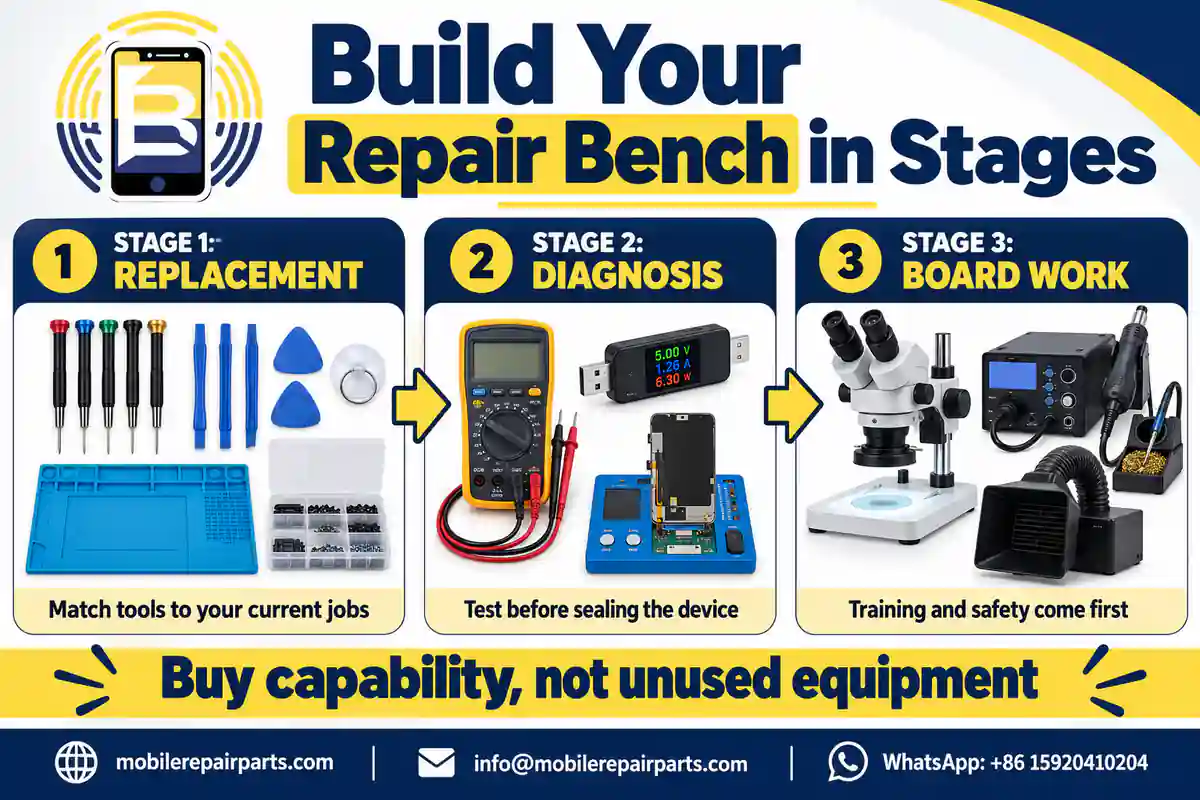
For example, a shop handling supported screen and battery jobs may get more immediate value from correct opening fixtures and compatible test adapters than from a second rework station. This is a planning example, not a measured return-on-investment claim. Review your own job history, outsourced repairs, tool downtime, and repeat visits before committing capital.
Wholesale Buying Checklist for Honduras and Global Markets
For wholesalers supplying Honduras, the purchase is not complete when a machine fits in the carton. Confirm the exact electrical specification at the customer’s bench, compatible accessories, language of instructions, spare consumables, warranty process, and landed-cost assumptions. The same checks matter for Chile, Colombia, Ecuador, and other destinations.
What to Put in a Repair-Tools RFQ
- Service scope: module replacement, diagnosis, board work, or refurbishment.
- Exact equipment model and revision, quantity, and included accessories.
- Input voltage/frequency and plug specification for the receiving bench; do not accept a country name alone.
- Supported phones, replacement parts, firmware, and adapter revisions where relevant.
- Replacement tips, heating elements, filters, leads, fixtures, and software/support terms.
- Packing method, receiving checks, warranty coverage, and handling of arrival defects.
- Written quotation, shipment terms, and confirmed availability; ask for a sample or demonstration when necessary.
Do not compare quotations only by kit price. A lower headline price may exclude the adapter, fixture, or replacement filter needed for the intended job. Request those items as explicit lines so the buyer can compare equivalent packages.
Keep the BETA SKU Separate from Compatibility Data
A BETA SKU identifies the company product; it is not a coded specification for the device, region, or tool features. For example, BETA-151629 illustrates the approved naming format only and does not identify a repair tool here. Keep the actual SKU alongside separate model, electrical, accessory, batch, and warranty fields.
Receiving Inspection and Tool Maintenance
Inspect new stock before distribution. Check the supplied model against the order, carton condition, accessories, documentation, and appropriate basic operation. Electrical safety checks should be performed by qualified personnel; a quick switch-on is not certification.
| Item | Receiving or maintenance check | Wholesale action |
|---|---|---|
| Drivers and opening tools | Tip fit, wear, burrs, damaged plastic | Separate damaged units; stock replacement bits/picks |
| Meters and leads | Sockets, probe insulation, documented operation | Hold unsafe or inconsistent units for review |
| Testers and adapters | Revision, supported devices, connector condition | Record the exact support list with the product |
| Microscope | Stable stand, clear optics, lighting, working distance | Check suitability for the receiving bench |
| Stations and extraction | Correct power specification, included accessories, maintenance instructions | Document checks; plan replacement consumables |
Clean and inspect tools according to their manufacturer’s instructions. Replace worn bits and damaged leads, keep optics clean, maintain extraction filters, and track which bench uses each machine. Simple records make a warranty discussion more useful than an unexplained statement that a tool does not work.
Choose a Working System, Not Just a Bigger Kit
Start with the repair jobs you can perform safely, identify the evidence needed to diagnose them, and order tools that close those gaps. Explore the BETA repair tools range, then request a wholesale equipment quotation with your service scope, quantities, destination, power specification, and required adapters. Confirm specifications and availability before ordering.
Frequently Asked Questions About Phone Repair Tools
What phone repair tools should a beginner buy first?
Start with correct-fit precision drivers, plastic opening tools, ESD controls, screw storage, suitable tweezers and cleaning supplies, and model-required opening equipment. Follow each device’s repair manual and accept only work within your training. Advanced board-repair machines are not the first requirement for every shop.
Is one cell phone repair tool kit compatible with every phone?
No. Bit profiles, fixtures, opening methods, adhesives, tester adapters, and calibration requirements vary. Verify the exact supported models and included accessories. A large piece count does not establish compatibility.
Do I need a soldering station to replace a screen or battery?
Not necessarily. Replacing a complete supported assembly is different from repairing a board-mounted component. Follow the model’s procedure. Buy soldering equipment when trained board work is part of your service scope, together with inspection tools and appropriate fume control.
Can a USB power meter identify every charging fault?
No. It provides observations about a compatible charging connection. Cable, charger, connector, battery, software, and board issues may need further investigation. Its ratings and protocol support must suit the test.
Does a programmer make an aftermarket iPhone part genuine?
No. A programmer’s documented data functions do not change a part’s origin or guarantee recognition, calibration, or biometric operation. Check the device, part, and manufacturer-supported repair process before promising a result.
What should a Honduras wholesaler confirm before importing repair tools?
Confirm the receiving bench’s input voltage/frequency and plug requirements, equipment revision, included adapters, supported models, consumables, packaging, warranty terms, and shipment costs. Obtain a written quotation and verify availability; do not assume all kits contain equivalent items.