With the release of iOS 18, Apple has once again pushed the boundaries of software innovation. But for repair technicians and iPhone users who rely on aftermarket batteries, this update comes with new questions. Will the replacement battery still show accurate data? Will you see the dreaded “Service” message after the update? In this article, we'll break down what's changed in iOS 18 regarding battery compatibility, share real user experiences, and explain how tools like JCID and 3uTools can help restore full battery functionality - even with non-original batteries.
iOS 18 Overview

iOS 18 is Apple's latest operating system, released in September 2024, introducing several improvements in security and hardware authentication, especially with regard to battery diagnostics and part pairing. iOS 18 focuses on artificial intelligence, privacy protection, and advanced technical support via the Repair Assistant feature. It emphasizes the use of original or certified parts, especially batteries, which directly affects technicians and wholesalers. System compatibility has become a necessity to ensure performance and avoid warnings.
Understanding iOS 18 and its impact on battery compatibility
iOS 18 brings significant changes to how iPhones interact with replacement batteries. With improved authentication protocols, the operating system reports non-original parts more aggressively. This shift directly impacts the battery replacement industry, making it essential for wholesalers to ensure that imported batteries are fully compatible to avoid functional issues and customer dissatisfaction.
What's new in iOS 18 for service technicians?
iOS 18 introduces stricter protocols for pairing mobile phones. Now, iPhones running iOS 18 may show warnings if the battery is not recognized as an approved original or replacement battery. This affects both independent repair centers and the wholesalers who supply them.
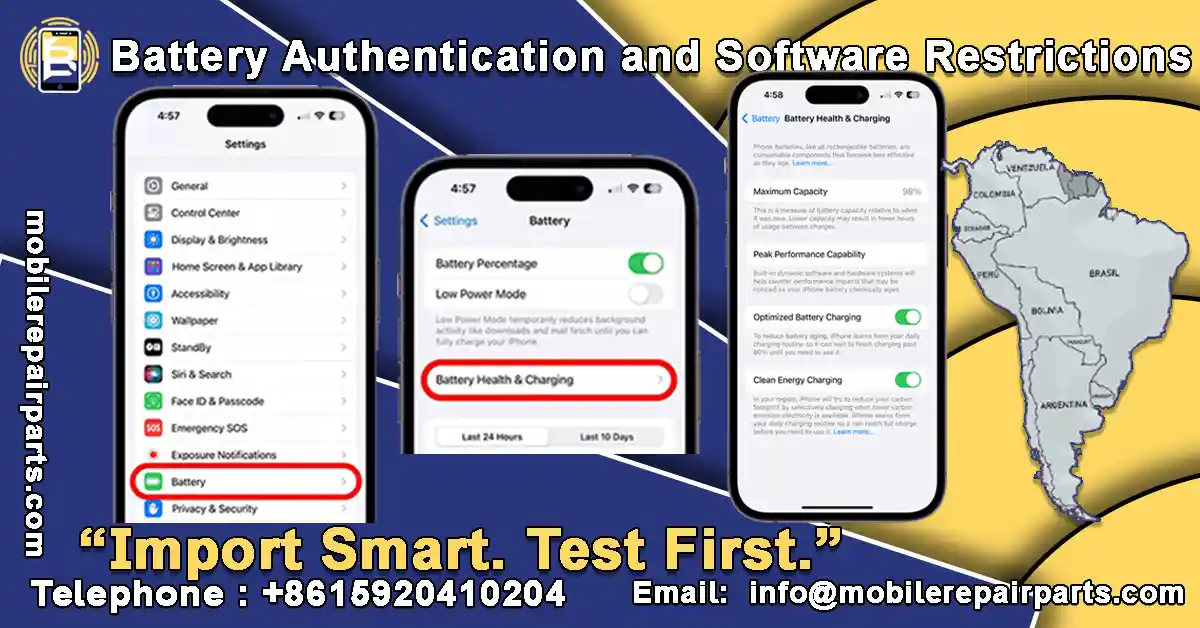
Battery Authentication and Software Restrictions
Apple continues to strengthen its work on repair control. iOS 18 may limit access to battery health information if a replacement battery is installed. For wholesalers, this means that batteries must be tested when imported from China for compatibility, as some wholesalers in countries like Chile, Colombia, and Panama have had issues with iPhone models rejecting some aftermarket batteries. The demand for iOS 18-compatible batteries is growing, and wholesalers. for this reason, it is imperative that wholesalers look for a reliable supplier who provides fully tested and iOS 18-compatible batteries. We at BETA Electronic Co LTD provide compatible batteries that have been carefully checked before exporting to Latin America. Contact us now and get the highest quality mobile phone spare parts at competitive prices.
What is Repair Assistant in iOS 18? Is it a help or a hindrance?
The Repair Assistant tool introduced in iOS 18 is designed to simplify repair processes, but it only works with original or authorized parts. The tool verifies the serial number of components like the battery and checks whether they are registered and recognized. As a result, unauthorized suppliers may face issues passing the system's checks.
What is the impact of the Repair Assistant tool on compatible iPhone battery?
The Repair Assistant may disable certain system functions or reduce performance if a battery doesn’t meet Apple’s standards. Therefore, Wholesalers importing mobile phone spare parts from China must ensure that their suppliers provide batteries with proper documentation and compatibility certifications for iOS 18.

The impact of the iOS 18 update on battery replacement
With each new iOS update, there is increasing interest in the phone maintenance industry in knowing how the changes affect repairs, especially battery replacement.
Practical tests on different types of batteries have shown multiple results:
- When installing a new original battery, the system easily recognizes it without warning messages and displays the battery's full health, ensuring full compatibility with the system.
- When using a previously used original battery, the replacement is successfully recorded, but the battery health is shown based on its previous use history.
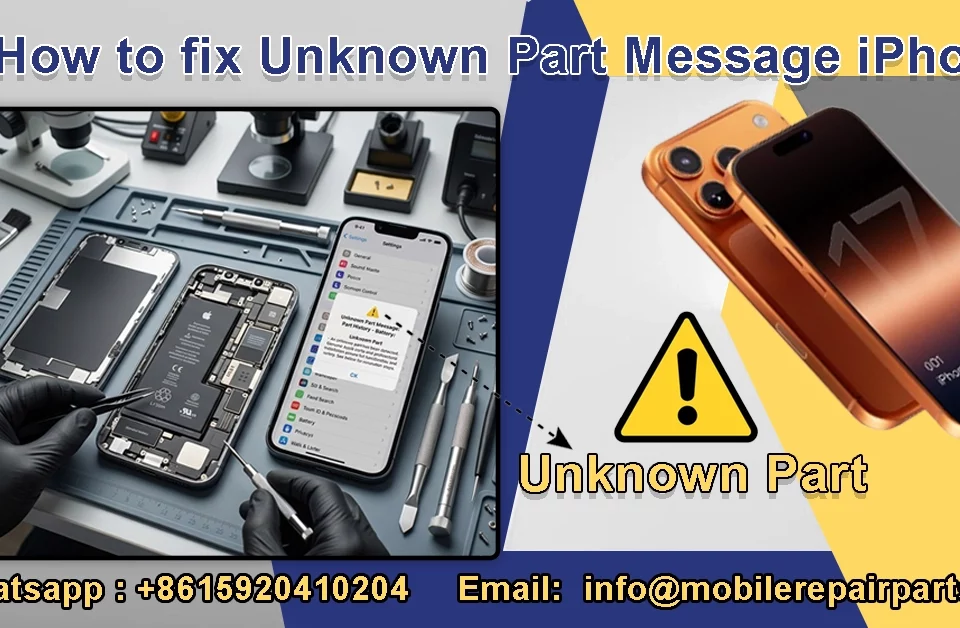
- For replacement batteries, users experience obvious limitations, such as an “unknown part” message or no battery health status display, which affects the user experience and reduces some device functionality.

Challenges Faced by Spare Parts Wholesalers with aftermarket battery in iOS 18
Many mobile phone spare parts wholesalers in Latin America are encountering technical challenges when importing replacement batteries for iPhones running iOS 18. The new system introduces stricter limitations on non-original or unauthorized components:
1- “Unknown Part” Warning: Even after successful installation, users may see a message indicating that the battery is not recognized by the system.
2- Battery Health Not Displayed: The “Battery Health” section in settings may be missing, reducing trust in device performance.
3- Limited Functionality: Key features such as Face ID or True Tone may not work properly due to compatibility issues.
To avoid these issues, wholesalers should work with suppliers who guarantee full battery compatibility with the latest Apple updates, and come with the necessary documentation to avoid technical issues and ensure customer satisfaction. As wholesale mobile phone parts suppliers from China to Latin America, we offer free technical consultation, call now.

6 Solutions to overcome iOS 18's limitations with Third-party battery

In order to overcome the technical challenges posed by iOS 18 when using non-original batteries, there are practical solutions that can help Latin American cell phone retailers ensure compatibility and improve the end-user experience:
- Use programming tools such as JCID or i2C: These devices allow rewriting the battery data to match the original battery data, making the system recognize it as certified, thus avoiding error messages such as “unknown part”.
- Replace the battery management board (BMS): By moving the BMS board from the original battery to the replacement battery, iOS can be tricked into displaying the battery as 100% original, allowing the “Battery Health” information to appear normally without restriction.
- BMS Emulators :are small chips installed inside the battery or on its circuit board that emulate the original battery signals, allowing you to bypass iOS restrictions without physically transferring the BMS from an old battery.
- Using advanced flashing tools or battery programming dongles: There are advanced tools for large service centers that allow the original battery data to be copied and transferred to a new battery (Clone), preventing warning messages or loss of the Battery Health feature.
- Reusing the original battery with only the power cells replaced: This is a precise method of keeping the original BMS board inside the battery and only changing the internal cells, maintaining full software identification without the need for reprogramming.
- Pre-register batteries via the Apple Self Service Repair program (authorized companies only): Authorized companies in some countries can register authorized batteries directly through the Apple portal, ensuring full system compatibility.
While these solutions require technical knowledge and specialized tools, they have become popular among advanced repair shops and wholesalers seeking to maintain quality and avoid compatibility issues with Apple's latest updates. However, be aware that some of these solutions are unofficial and may result in loss of warranty or future issues for the end user, so it is always necessary to weigh efficiency, cost, and technical risk before adopting any solution.
How Tools Like JCID and 3uTools Can Help Restore Full Battery Functionality, Even with Non-Original Batteries
For service technicians and iPhone spare parts wholesalers who import with replacement batteries, tools like JCID and 3uTools offer practical solutions to restore full battery functionality and bypass iOS 18 restrictions.
- JCID Tools: JCID devices allow technicians to read, edit, and transfer key battery data (such as cycle count, serial number, and manufacturing details). By cloning the data from the original battery’s BMS (Battery Management System) onto a replacement battery, the system recognizes it as original. This enables:
- Battery Health information to appear in settings
- Elimination of the “Unknown Part” warning
- Compatibility with features like optimized charging
- 3uTools: While not as advanced in hardware-level programming, 3uTools provides powerful diagnostics and battery status insights. It allows users to:
- Check battery wear, voltage, and charging cycles
- Compare performance data before and after replacement
- Verify if a battery is behaving like an original part
Together, JCID and 3uTools empower professionals to maintain high standards of service even when using third-party batteries by ensuring system-level compatibility and customer trust.

FAQs about iPhone battery compatibility with iOS 18
1- How to ensure iPhone batteries are compatible with iOS 18?
To ensure iPhone batteries are compatible with iOS 18, you should use high-quality replacement batteries with compatible BMS boards. It is also advisable to use programming tools such as JCID or i2C to copy the original battery data to the replacement battery.
In addition, verify that the batteries come from a reliable supplier that provides technical support and updates compatible with the latest Apple systems. These steps minimize the appearance of "Unknown Part" messages and ensure that battery health is displayed normally.
2- Does a "Service" message appear when installing a replacement battery in iOS 18?
Yes, in iOS 18, a "Service" or "Part Not Recognized" message may appear when installing a non-original or improperly programmed replacement battery. This message indicates that the system was unable to verify that the battery is original or Apple-approved, which may hide battery health information and restrict some functions.
3- Do iOS 18 updates affect features like Face ID and True Tone if I use replacement batteries, even high-quality ones?
Yes, even high-quality batteries may be affected by iOS 18 updates if they are not programmed or equipped with a compatible BMS board. Manufacturing quality alone is not enough because iOS 18 not only checks the electrical performance, but also the digital matching of the battery's serial number with Apple's database.
In conclusion, if you are a wholesaler who imports mobile phone parts or a technician who specializes in repairing iPhones, it is essential to be aware of the challenges you may face when replacing batteries in iOS 18. Tools like JCID and i2C, or replacing the BMS board, can help you bypass some of these limitations and ensure battery compatibility. However, Apple updates should be constantly monitored for any changes in compatibility policies for replacement batteries.
Don't let iOS 18 updates stop you in your tracks! Contact us via WhatsApp today for compatible batteries and advanced programming tools like JCID and 3uTools, and stay ahead of the curve.