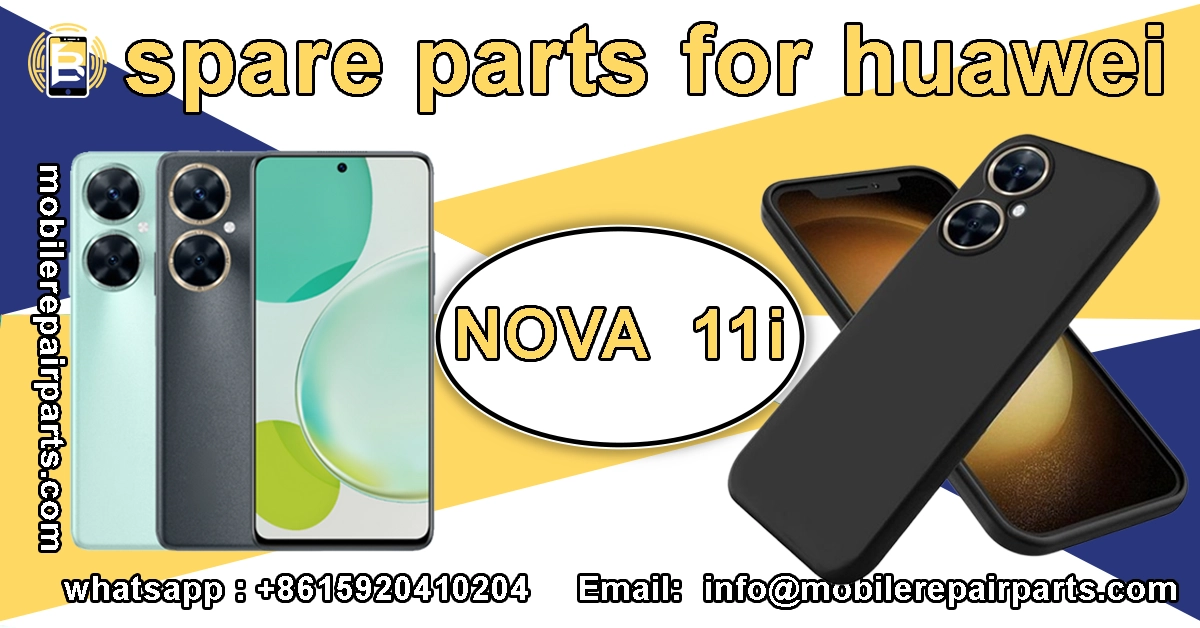
Maintaining high profit margins on mid-range device repairs requires precise technical knowledge and access to reliable components. For wholesalers and independent technicians across Latin America, stocking the right parts for the HUAWEI nova 11i is essential for ensuring a fast turnover of inventory and minimizing customer wait times. This device remains a popular volume driver in markets like Mexico and Brazil due to its balance of performance and affordability.
As the demand for cost-effective smartphone repairs continues to grow, sourcing the HUAWEI nova 11i becomes a strategic priority for your service center. Understanding the exact specifications, component availability, and detailed repair procedures allows you to promise quicker turnaround times and superior service quality to your clients, ultimately securing your competitive edge in the repair industry.
|
📘 Summary This guide delivers a complete technical and repair-focused overview of the HUAWEI nova 11i, covering specifications, high-demand spare parts, and step-by-step repair procedures. It helps wholesalers and technicians improve repair efficiency, reduce turnaround time, and maximize profit margins by stocking the right components and following proven repair workflows. |
🔍 Key Highlights
|
Specifications of HUAWEI nova 11i
Here are the complete technical specifications you need to identify components accurately:
| Specification | Details |
|---|---|
| Display | 6.8 inches IPS LCD, 90Hz, 1228 x 2700 pixels |
| Processor | Qualcomm Snapdragon 680 4G (6 nm) |
| OS | HarmonyOS 3.0 |
| Rear Camera | 50 MP (wide) + 2 MP (depth) |
| Front Camera | 16 MP (wide) |
| Battery | Li-Po 5000 mAh, non-removable |
| Charging | 40W wired |
Main Components of HUAWEI nova 11i Parts

These are the primary structural and logic components essential for major repairs:
| Part Name | Specifications |
|---|---|
| HUAWEI nova 11i LCD Frame Middle Chassis | Metal mid-frame housing structural support |
| HUAWEI nova 11i Battery Back Cover | Rear glass or plastic cover replacement |
| HUAWEI nova 11i Main Board Flex Cable | Interconnects motherboard sections and ports |
Screens, Batteries, and Cameras HUAWEI nova 11i
Focus on these high-demand modules to ensure fast turnover for your repair shop:
| Part Name | Specifications |
|---|---|
| HUAWEI nova 11i IPS LCD Display Screen | 6.8″ IPS LCD with touch digitizer assembly |
| HUAWEI nova 11i Battery | Internal 5000 mAh battery with 40W charging support |
| HUAWEI nova 11i Wide Depth Back Cameras | 50MP Main + 2MP Depth sensor module |
| HUAWEI nova 11i Front Selfie Camera 16MP | 16MP front-facing camera flex cable |
| HUAWEI nova 11i Rear Camera Lens Cover | Replacement glass lens protector for rear module |
Connectivity and Sensor HUAWEI nova 11i Parts
Maintain signal integrity and functionality with these specific connectivity parts:
| Part Name | Specifications |
|---|---|
| HUAWEI nova 11i Dual Nano SIM Card Tray | Dual SIM slot holder ejector mechanism |
| HUAWEI nova 11i SIM Card Connector | Onboard socket for SIM card reading |
| HUAWEI nova 11i Fingerprint Sensor | Side-mounted power button flex with sensor |
| HUAWEI nova 11i Charging Board USB Type-C 2.0 | USB-C port daughterboard flex |
| HUAWEI nova 11i Charging Port Connector | Internal connector receptacle for charging board |
| HUAWEI nova 11i Signal Flex Cable | Antenna signal flex cable for cellular reception |
Audio and Communication HUAWEI nova 11i Parts
Restore clear audio and communication functions using these verified spare parts:
| Part Name | Specifications |
|---|---|
| HUAWEI nova 11i Loud Speaker Clear Audio | Main bottom-firing ringer speaker module |
| HUAWEI nova 11i Earpiece Ear Speaker | Top front earpiece speaker for calls |
| HUAWEI nova 11i Internal Microphone | Noise-canceling microphone module |
| HUAWEI nova 11i Vibrator Vibration Motor | Linear vibration motor for haptic feedback |
| HUAWEI nova 11i Power Volume Buttons Flex Cable | Flex cable integrating power and volume buttons |
| HUAWEI nova 11i Volume Side Button Outer | External plastic button key for volume |
| HUAWEI nova 11i Power Button Outer | External plastic button key for power |
Common Errors and Repair for HUAWEI nova 11i
Diagnose these frequent hardware issues to optimize your repair workflow efficiency:
| Error | Repair |
|---|---|
| Dead No Power | Replace charging board or check main board PMIC |
| Ghost Touch | Replace display screen digitizer assembly |
| No Service/Signal | Reconnect or replace signal flex cable |
| Camera Black Image | Replace rear or front camera module |
| Muffled Audio | Replace loudspeaker ringer or earpiece |
Screen Repair HUAWEI nova 11i
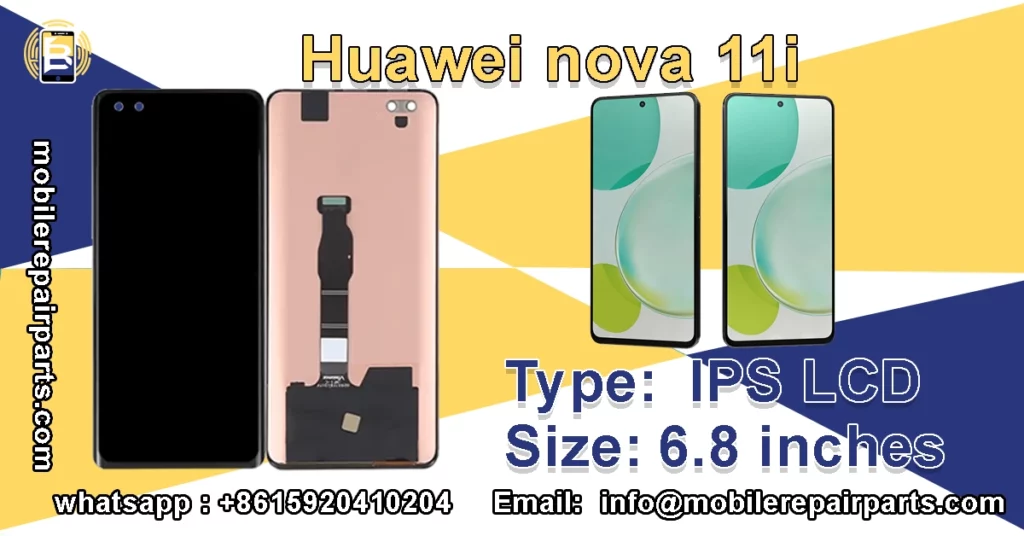
Follow this detailed guide to replace the damaged display safely and restore touch functionality:
- Power Down: Ensure the device is completely turned off to prevent short circuits.
- Heat the Edges: Use a heat gun or hair dryer to warm the edges of the screen to about 80°C (176°F) to soften the adhesive.
- Create an Opening: Place a strong suction cup near the bottom edge and pull firmly to create a small gap between the screen and the frame.
- Slice the Adhesive: Insert a thin plastic opening pick into the gap and carefully slide it around the perimeter to cut through the adhesive glue.
- Lift the Screen: Once the adhesive is cut, gently lift the screen from the bottom, being cautious not to crack the glass further.
- Disconnect Cables: Locate the screen flex cable connector on the motherboard and unlock the flap, then gently disconnect the ribbon cable.
- Remove Screen: Lift the old screen assembly away from the chassis.
- Connect New Screen: Align the flex cable of the new replacement screen with the connector on the motherboard and press firmly until it clicks into place.
- Seal the Device: Apply new adhesive tape to the frame, press the new screen into position, and remove any air bubbles.
Battery Repair HUAWEI nova 11i
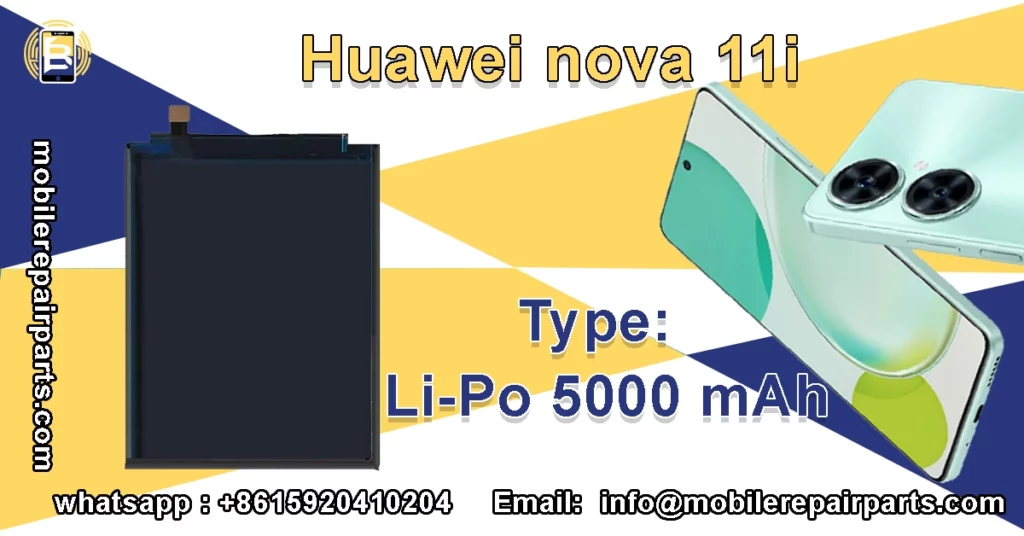
Replace the swollen or faulty battery to ensure device safety and longevity with these steps:
- Power Off: Shut down the phone and disconnect any charging cables.
- Heat the Rear Cover: Apply heat to the back of the phone to loosen the adhesive securing the battery cover.
- Remove Back Cover: Use a suction cup and opening tool to pry off the back glass/plastic cover carefully.
- Unscrew Motherboard Shield: Locate the screws holding the plastic bracket covering the battery connector and remove them using a Phillips screwdriver.
- Disconnect Battery: Identify the battery connector on the motherboard, gently lift the locking flap, and remove the flex cable.
- Remove Old Battery: If the battery is stuck, use isopropyl alcohol around the edges to loosen the strong adhesive, then gently pry it up using a plastic spudger. Do not bend or puncture the battery.
- Clean Surface: Remove any old adhesive residue from the chassis and clean the area with a lint-free cloth.
- Install New Battery: Remove the protective film from the new battery’s adhesive, align it properly within the chassis, and press down firmly.
- Reconnect: Reattach the battery connector to the motherboard and secure the protective bracket.
- Reassemble: Place the back cover on, apply pressure to seal the adhesive, and screw the bracket back in place.
Camera Repair HUAWEI nova 11i

Fix blurry photos or focus failures by replacing the camera modules step-by-step:
- Remove Back Cover: Follow the steps in the battery repair section to remove the back cover of the device.
- Locate the Camera Module: Identify the rear camera unit located at the top of the motherboard (usually covered by a protective metal plate).
- Remove Protective Shield: Unscrew and remove the small metal bracket or shield covering the camera flex cable.
- Disconnect Flex Cable: Gently lift the connector flap on the motherboard and slide out the camera flex cable.
- Remove Old Camera: Carefully lift the old camera module out of its seating slot.
- Prepare New Camera: Unpack the replacement camera module and ensure the lens is clean and free of dust.
- Install New Module: Place the new camera module into the slot, ensuring it sits flush and level.
- Reconnect Cable: Insert the flex cable of the new camera into the motherboard connector and press down to lock it.
- Secure Shield: Reinstall the metal bracket or shield to hold the camera in place.
- Test Function: Before sealing the device, power it on and open the camera app to verify that the focus and image capture work correctly.
Assembly and Repair Guide for HUAWEI nova 11i Parts
Ensure a successful rebuild by following this structured assembly process:
- Organize Components: Use a magnetic mat to organize all screws and small parts by size and location to prevent mix-ups.
- Check Connections: Before sealing the phone, double-check that all flex cables (screen, battery, buttons, cameras) are securely connected.
- Test Functionality: Power on the device and test the touch response, charging, cameras, and speakers to ensure everything works.
- Clean Seals: Ensure the charging port and speaker grills are free of debris before final assembly.
Essential Tools for HUAWEI nova 11i Disassembly
Equip your workstation with these necessary tools to prevent damage during disassembly:
- Heat Gun or Hair Dryer: Essential for softening the adhesive holding the screen and back cover.
- Precision Screwdriver Set: You will need Phillips (cross-head) and possibly Torx screwdrivers to open the internal brackets.
- Plastic Spudgers and Opening Picks: Non-conductive tools used to pry open the phone and slice through adhesive without scratching the chassis.
- Suction Cup Handle: Helps create the initial gap to lift the screen or back cover.
- Tweezers: Useful for handling small screws and flex cables precisely.
Step-by-Step Repair Procedure for Screen, Battery, and Camera
Execute the repair logical HUAWEI nova 11i order to avoid damage to internal components:
- Safety First: Power off the device completely and place it on a clean, static-free mat.
- Initial Disassembly: Apply heat to the edges of the back cover, use a suction cup to lift it, and slice the adhesive to remove the cover.
- Battery Disconnect: Immediately locate and disconnect the battery flex cable to prevent electrical shorts while working on other parts.
- Remove Mid-Frame: Unscrew the internal screws holding the mid-frame (LCD frame) and gently lift it to expose the screen and internal components.
- Screen Replacement: Disconnect the old screen flex cable, remove the screen, connect the new screen flex cable, and seat the new screen.
- Battery Replacement: If replacing the battery, remove the old unit, clean the chassis, adhere the new battery, and reconnect it.
- Camera Check: If replacing cameras, disconnect the old flex, swap the module, and reconnect the new flex.
- Reassembly: Reverse the order by connecting the battery, securing the mid-frame, and aligning the back cover.
- Final Press: Apply even pressure along the edges of the back cover to ensure the adhesive sets properly.
- Final Test: Charge the phone to 100% and perform a full diagnostic check.
FAQ HUAWEI nova 11i battery
Below are the most frequently asked questions regarding the maintenance and component compatibility of the HUAWEI nova 11i. These answers address common technical concerns to help you streamline your repair workflow.
Is the HUAWEI nova 11i battery removable?
No, the HUAWEI nova 11i features an internal non-removable Li-Po 5000 mAh battery. Replacing it requires disassembling the device by removing the back cover and unscrewing the internal protective brackets.
Does the HUAWEI nova 11i support Google Play Services?
No, the device runs on HarmonyOS and does not come with Google Play Services pre-installed. Users access apps via the HUAWEI AppGallery, which is an important detail to mention to customers before software resets.
What type of charging port does the HUAWEI nova 11i use?
It uses a USB Type-C 2.0 port for charging and data transfer. The port is located on a separate daughterboard flex cable, making it relatively easy to replace if damaged.
How much does it cost to replace the screen of a HUAWEI nova 11i?
The cost varies depending on whether you choose an OEM or aftermarket replacement assembly. However, sourcing the IPS LCD display screen and frame separately usually offers better margins for repair shops compared to buying pre-assembled units.
What tools are required to open the HUAWEI nova 11i?
You will need a heat gun to soften the adhesive, a suction cup to lift the back cover, precision Phillips screwdrivers to remove internal brackets, and plastic spudgers to disconnect flex cables without damaging the motherboard.
Mastering the repair specifications and sourcing the correct components for the HUAWEI nova 11i ensures your repair shop remains profitable and competitive. By following the detailed step-by-step assembly guides and stocking certified parts, you can guarantee high-quality repairs that build customer trust and loyalty. Securing your inventory from reliable sources is the final step to success.