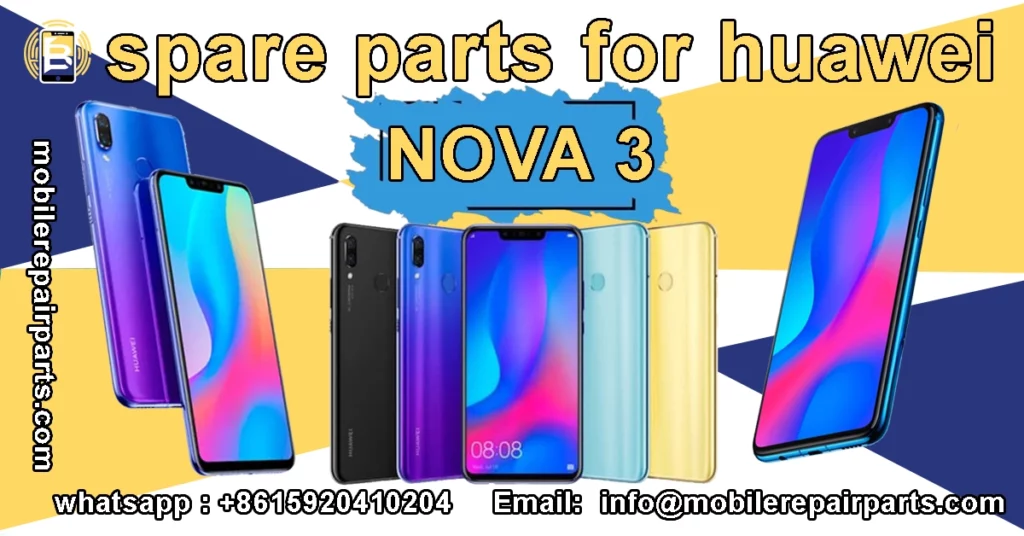
Maximizing workshop turnover depends on sourcing high-rotation components at the lowest possible landed cost. For Latin American wholesalers, maintaining a 30% margin on repairs requires precise inventory management of popular mid-range models like the Huawei Nova 3i. To sustain profitability in a competitive repair market, you must secure a reliable supply chain for parts for Huawei Nova 3i that balances price with technical compatibility.
|
📘 Summary Mastering the Huawei Nova 3i repair ecosystem requires a precise blend of technical know-how and smart inventory management. This guide provides a comprehensive roadmap for sourcing OEM-grade components—from critical display assemblies to flex cables—and outlines safe repair protocols. By leveraging direct wholesale supply chains, workshops can significantly boost margins and ensure reliable, long-lasting fixes for this popular mid-range device. |
🔍 Key Highlights
|
Technical Specifications of the Huawei Nova 3i
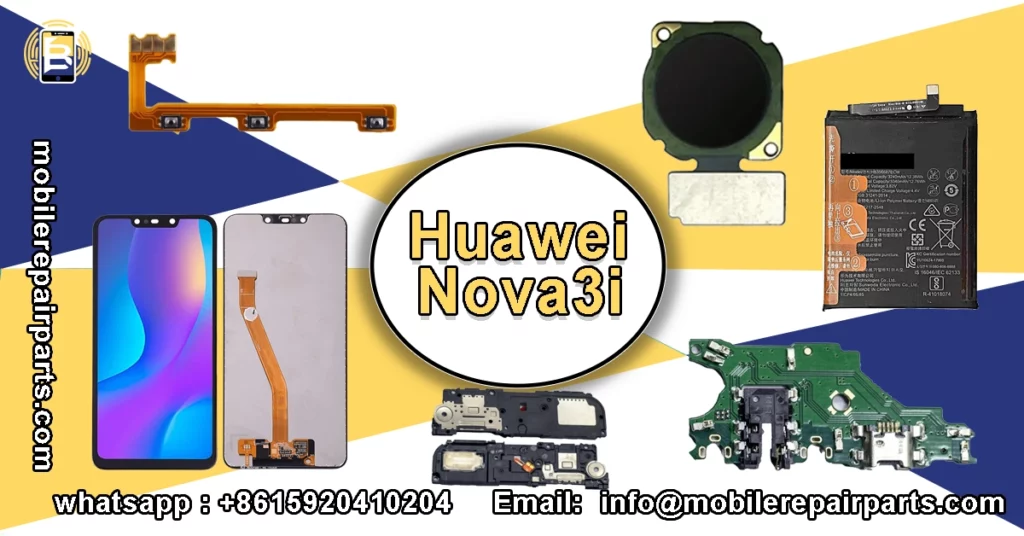
The Huawei Nova 3i operates on the Kirin 710F chipset and requires precise component matching to ensure optimal functionality. Understanding these hardware requirements is essential for selecting compatible replacement parts.
| Specification | Detail |
|---|---|
| Model | Huawei Nova 3i (INE-LX1 / INE-LX2) |
| Processor | HiSilicon Kirin 710F (12 nm) |
| Display | 6.21 inches IPS LCD, 1080 x 2340 pixels |
| RAM | 4 GB / 6 GB |
| Internal Storage | 64 GB / 128 GB |
| Main Camera | Dual: 16 MP (wide) + 2 MP (depth) |
| Selfie Camera | Dual: 24 MP (wide) + 2 MP (depth) |
| Battery | Li-Po 4000 mAh, non-removable |
| Operating System | Android 8.1 (Oreo), upgradable to EMUI 12 |
| Sensors | Fingerprint (rear-mounted), accelerometer, gyro, proximity, compass |
Key Components Analysis of the Huawei Nova 3i
Critical hardware components must meet strict factory specifications to avoid rejection by the device’s calibration software. Below is a breakdown of the core parts and their technical requirements.
| Component Name | Specifications |
|---|---|
| LCD Display | 6.21″ IPS LCD, 1080 x 2340 resolution |
| Motherboard | Kirin 710F CPU logic board |
| Main Camera | 16MP Wide + 2MP Depth Sensor |
| Selfie Camera | 24MP Wide + 2MP Depth Sensor |
| Battery | 4000 mAh Li-Po Polymer |
Essential Spare Parts for Huawei Nova 3i Repairs
Maintaining a stock of high-rotation parts is crucial for workshops to handle the most common repairs efficiently. This list ensures you have the necessary inventory ready for immediate service.
- IPS LCD Display Screen
- Battery Li-Po 4000 mAh
- Battery Glass Back Cover
- LCD Frame Middle Chassis
- Rear Camera Lens Cover
- Dual Nano Sim SD Card Tray
- Vibrator Vibration Motor
- Loud Speaker Clear Audio
- Earpiece Ear Speaker
- Internal Microphone
- Signal Antenna Flex Cable
- Signal Flex Cable
- Main Board Flex Cable
Display and Touch Assembly
The display assembly is the most frequently replaced part due to its fragility and exposure to impact. Ensure the digitizer quality matches OEM standards to guarantee touch sensitivity.
- Verify the display model number (INE-LX1) before installation.
- Check the IPS LCD Display Screen for dead pixels or discoloration.
- Test the touch response on all corners of the digitizer.
- Inspect the frame for bends that could prevent proper sealing.
- Ensure the Rear Camera Lens Cover is intact if replacing the back panel.
Power System Components
Power failures often stem from battery degradation or damaged charging ports within the motherboard assembly. Stocking these specific components allows for quick resolution of charging and battery life issues.
| Part Name | Specifications |
|---|---|
| Main Battery | Huawei Nova 3i Battery Li-Po 4000 mAh |
| Back Cover | Battery Glass Back Cover |
| Charging Board | Charging Board MicroUSB 2.0 |
| Charging Connector | Charging Port Connector |
Step-by-Step Screen Replacement Guide for Nova 3i
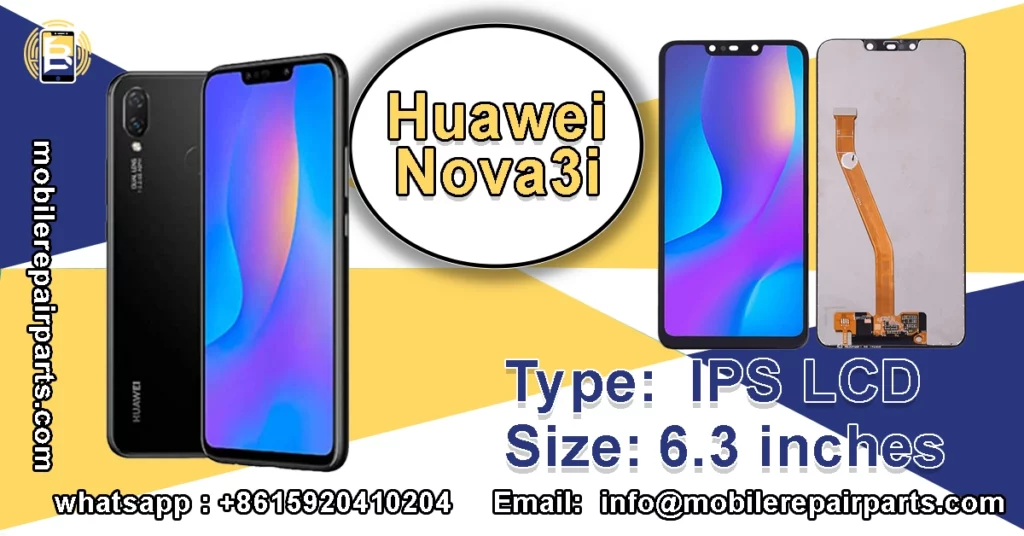
Replacing the front panel requires precision to avoid damaging the delicate ribbon cables connected to the motherboard. Follow these steps carefully to ensure a successful repair.
- Power off the device completely before starting.
- Remove the SIM card tray.
- Heat the edges of the screen to loosen the adhesive.
- Use a suction cup and pry tool to lift the screen.
- Disconnect the battery flex cable immediately.
- Disconnect the display and touch flex cables.
- Remove the cracked screen assembly from the frame.
Safe Disassembly Protocol
Proper heating and prying techniques are vital to prevent cracking the new screen or damaging the mid-frame. Always work slowly and apply heat evenly to soften the factory adhesive.
- Heat the screen edge to 80°C using a heat gun or pad.
- Attach a strong suction cup to the lower part of the screen.
- Pull the suction cup while inserting a thin pry tool.
- Slice through the adhesive around the entire perimeter.
- Lift the screen carefully to expose the flex cables.
- Open the flex cable connectors and remove the screen.
Installation and Calibration
After removing the broken display, connecting the new unit requires testing functionality before final adhesion. This “dry fit” step ensures you do not have to reopen the phone if a defect is present.
- Connect the new IPS LCD Display Screen to the motherboard.
- Connect the battery flex cable temporarily.
- Power on the device and check the display for clarity.
- Test the touch sensitivity across the entire surface.
- Check the Earpiece Ear Speaker and sensors.
- Power off the device, remove cables, and apply new adhesive.
- Press the screen into place and clamp the edges.
Diagnostic Guide: Charging Port and Flex Cable Issues
Charging problems in the Nova 3i are frequently caused by physical damage to the MicroUSB port or internal flex cables. Diagnosing the root cause accurately saves time and prevents unnecessary part replacement.
- Inspect the Charging Port Connector for debris or lint.
- Check for bent or broken pins inside the port.
- Test with a different data cable and charging brick.
- Open the device and inspect the Charging Board MicroUSB 2.0.
- Examine the Power Volume Buttons Flex Cable for tears.
Troubleshooting Connectivity Problems
Distinguishing between software glitches and hardware failure is the most critical step in the diagnostic process. Use the table below to isolate the issue based on specific symptoms.
| Symptom | Likely Cause |
|---|---|
| No response when plugged in | Damaged Charging Board MicroUSB 2.0 or blown fuse |
| Charges but not recognized by PC | Damaged Charging Port Connector pins |
| Loose connection | Worn out port housing or debris |
| Intermittent charging | Torn Signal Flex Cable or solder crack |
Wholesale Supply Chain for Huawei Nova 3i Components
BETA Electronic Co LTD provides technicians and wholesalers with direct access to high-quality Huawei Nova 3i components, ensuring competitive pricing and reliable supply. By sourcing from Shenzhen-based manufacturers, BETA Electronic guarantees that parts like the Wide Main Back Camera 16MP and Internal Microphone meet strict quality standards. Their streamlined logistics network helps Latin American businesses reduce lead times and maintain optimal inventory levels for fast-moving repair parts.
Quality Assurance in Bulk battery Orders

Verifying the grade of parts before shipment is essential to avoid customer returns and maintain workshop reputation. Use this comparison to understand the differences between OEM and Copy quality parts available in the wholesale market.
| Feature | OEM Grade | Copy Grade |
|---|---|---|
| Source | Original manufacturer supplier | Third-party generic factory |
| Display Quality | Original brightness and color calibration | Lower brightness, washed colors |
| Flex Cable Durability | High-quality soft flex, durable | Stiff flex, prone to tearing |
| Glass Hardness | 9H hardness, oleophobic coating | Lower scratch resistance, no coating |
| Price | Higher | Lower |
| Compatibility | 100% Plug and Play | May require software tweaks |
Is the Huawei Nova 3i screen compatible with the Huawei Nova 3?
No, the screens are not compatible. Despite the similar model names, the Huawei Nova 3i uses a 6.21-inch display while the Nova 3 features a 6.3-inch AMOLED panel. You must order the specific IPS LCD Display Screen designed for the Nova 3i (INE-LX1) to ensure proper fit and function.
Why is the replacement battery draining faster than the original?
If the new Huawei Nova 3i Battery drains quickly, ensure it is a genuine high-capacity cell and not a generic copy. Also, verify that the software on the device is updated, as background processes and degraded power management settings can significantly impact battery performance.
What tools do I need to replace the charging port?
To replace the Charging Board MicroUSB 2.0, you will need a precision screwdriver set, a plastic spudger or pry tool, tweezers, and a heat gun or hair dryer to soften the adhesive securing the back cover. A soldering iron may also be required if you are replacing the connector directly on the motherboard.
How can I fix a blurry rear camera on the Nova 3i?
Blurry photos are often caused by a scratched lens rather than a faulty sensor. First, try replacing the Rear Camera Lens Cover. If the issue persists, you may need to replace the Wide Main Back Camera 16MP module itself.
Where can I buy wholesale parts for the Huawei Nova 3i?
For reliable wholesale inventory, you can source components directly from BETA Electronic Co LTD. They offer a wide range of parts, from the Fingerprint Sensor to the Signal Antenna Flex Cable, ensuring you get competitive pricing and verified quality for your repair business.
The Huawei Nova 3i remains a popular device in the Latin American market, creating a steady demand for high-quality spare parts. By understanding the technical specifications and stocking essential components like the IPS LCD Display Screen and Charging Board MicroUSB 2.0, workshops can maximize their efficiency and profit margins. Sourcing these parts from trusted suppliers like BETA Electronic Co LTD ensures that you receive durable, compatible components that meet the expectations of your customers. Maintaining a well-managed inventory of these high-rotation items is the key to success in the competitive mobile repair industry.