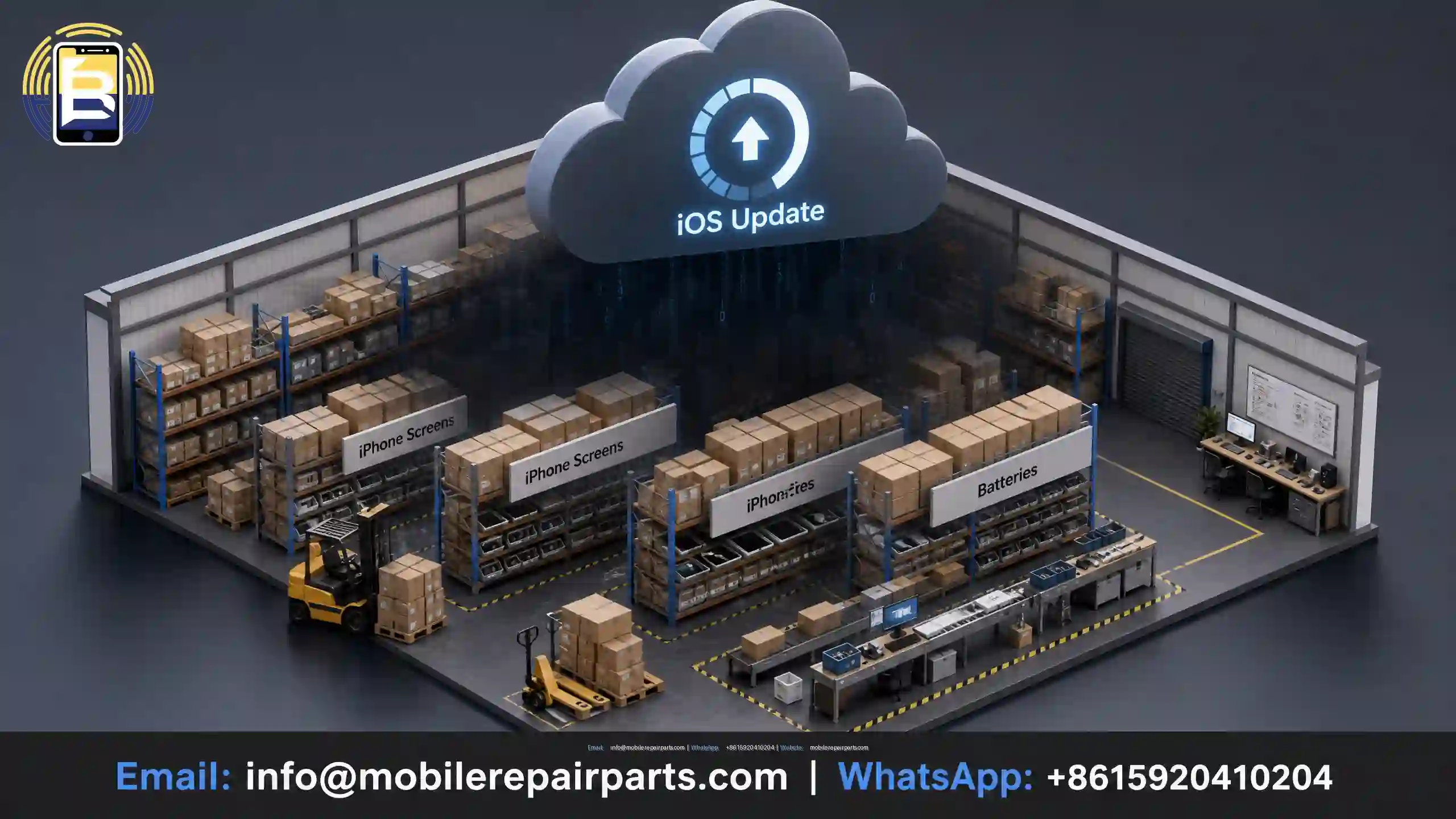
Introduction: A single iOS update could turn your wholesale inventory into a liability
Mobile phone parts wholesalers across Latin America—from Mexico and Colombia to Argentina and Chile—operate in a highly sensitive market where a single wholesale purchase decision can turn from a guaranteed profit into an immediate loss due to a single iOS release. This is no exaggeration; it is the daily reality faced by technicians and distributors in 2026.
When Apple releases a new iOS update, it often rewrites the iPhone authentication protocols used to verify installed parts. This can result in a mobile part that was working normally yesterday triggering an “Unknown Part” or “Could Not Verify” warning tomorrow. For wholesalers, this leads directly to customer returns, questions about credibility, and pressure on profit margins.
This guide provides you with a practical framework for understanding how iOS updates interact with iPhone parts, which warnings are important and which are not, and how to protect your wholesale inventory from this hidden risk.
|
📘 Summary Every iOS update Apple releases can silently change how iPhones authenticate replacement parts — turning a perfectly working screen, battery, or camera into a source of warning messages overnight. This guide explains how Apple’s part serialization system works, which iOS versions expanded it, what each warning message means in practice, and how wholesalers and technicians across Latin America can protect their inventory and reputation by sourcing iOS-compatible parts from verified suppliers. |
🔍 Key Highlights
|
Table of Contents
How iOS Verifies the Authenticity of iPhone Parts
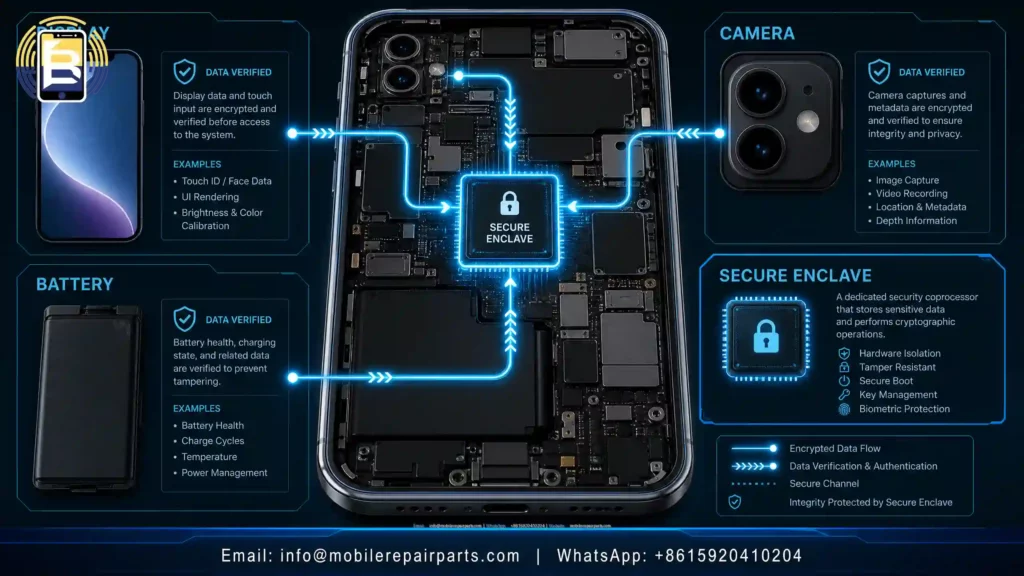
To understand the issue, you need to understand the component serialization system that Apple has been expanding since the release of the iPhone X. The basic concept is simple: every major component—such as the display, battery, camera, and Face ID sensor—has an encrypted serial number linked to the phone’s Secure Enclave chip.
Every time the device is turned on, iOS checks whether the serial number of each installed mobile part matches the record stored in the processor. If they don’t match—even if the part is a genuine Apple component transferred from another device—a warning message appears and some features may be disabled.
The critical issue for resellers is that Apple expands the scope of this authentication system with every major iOS release. What was limited to the Face ID display assembly on the iPhone XS in 2019 now extends to include batteries, rear cameras, and charging boards in the 2024–2026 lineup.
iOS Updates That Redefined the Risks of Wholesale Trade
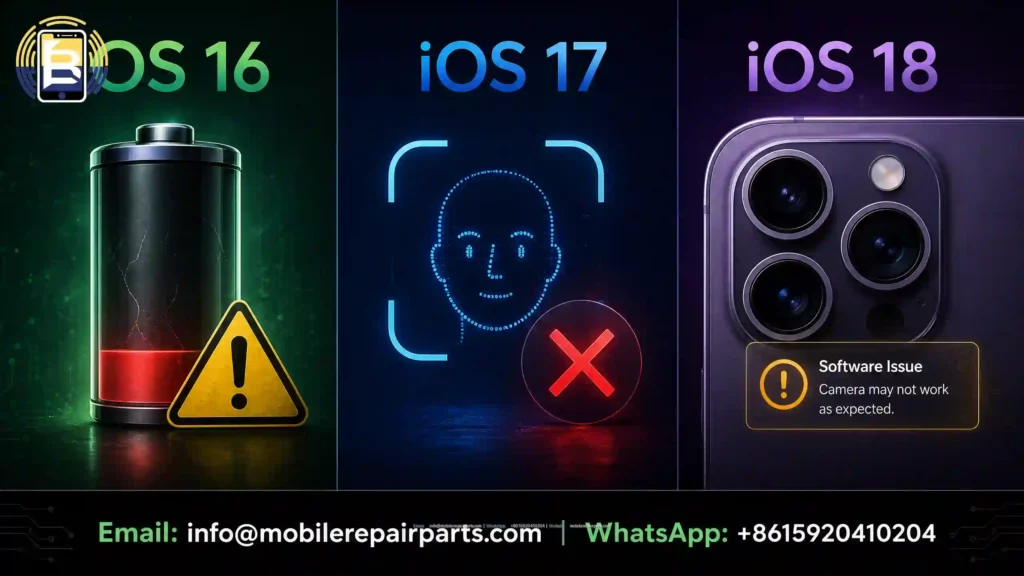
iOS 16: The Battery Now Has a Unique Serial Number
With the release of iOS 16, “Battery Health” is now linked to a serial number stored in the processor. The practical result of this is: any battery that hasn’t been properly programmed won’t be able to display the “Battery Health” percentage in “Settings,” and the customer will receive a warning stating “Service Recommended”—even if the battery is brand new.
For wholesalers supplying repair shops in Colombia, Chile, and Mexico, this means that purchasing batteries in bulk without verifying that the supplier supports IC chip programming poses a direct risk to your reputation.
A skilled technician can avoid problems by transferring the BMS from the damaged original iPhone battery to the replacement battery.
iOS 17: The Front Camera and the Face ID Issue
iOS 17 has tightened authentication requirements for the Face ID sensor array and front camera module. Any non-professional replacement of the front sensor array now completely disables Face ID, and it cannot be restored without Apple-level calibration or specialized third-party programming tools.
iOS 18: Expanding Authentication to the Rear Camera
Starting with iOS 18, the authentication system has been extended to include rear camera modules in current-generation models (iPhone 15 Pro and later). Installing a rear camera that is not software-compatible now triggers warning messages, even if the camera functions normally from a mechanical standpoint.
Warning Messages Technicians Encounter — and What They Mean
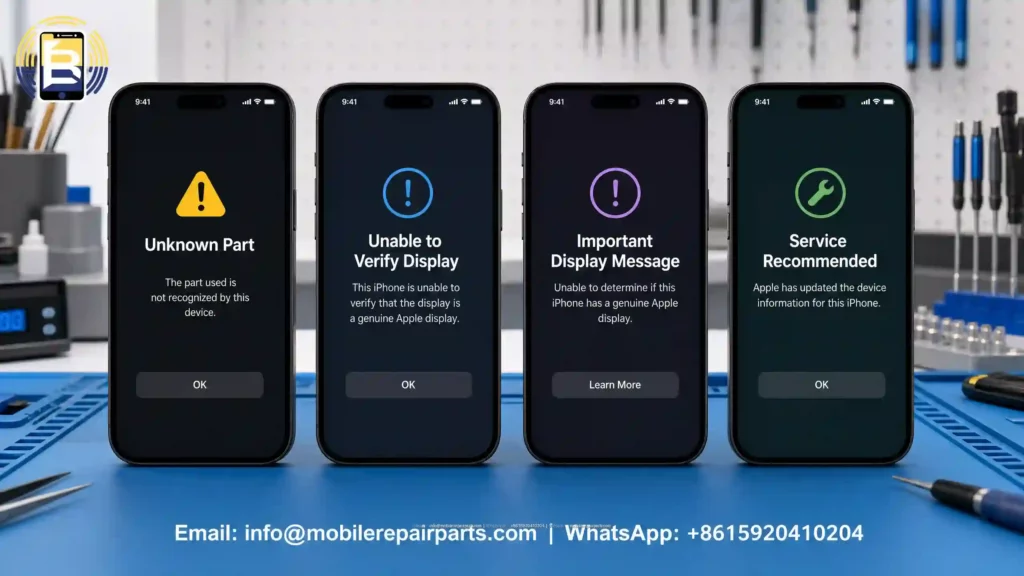
Repair technicians in Bogotá, Lima, Buenos Aires, and Santiago encounter a recurring set of warning messages. Understanding them accurately is the difference between a satisfied customer and one who returns the device unnecessarily.
“Unknown Part”
iOS does not recognize the serial number of the installed replacement part. The most common reason: the original integrated circuit (IC) chip was not transferred during the screen replacement, or a battery was installed that does not support IC programming.
“We couldn’t verify that this iPhone has an authentic Apple display”
This message appears once during the first boot after a screen replacement and does not necessarily mean the screen is of poor quality. It means that iOS was unable to verify the screen’s identity. The message disappears after acknowledging it—but uninformed customers perceive it as a defect and return to the technician with complaints.
“Important Display Message” (iPhone 12 and later)
Similar to the previous warning, but this message is logged in the system and remains visible under Settings → General → About. This permanently reduces the phone’s resale value, which is a concern for customers who may want to trade it in or resell it.
“Service Recommended” (Battery)
iOS cannot read the IC data from a replacement battery. The customer interprets this as a failed repair. This warning alone is responsible for a significant portion of battery-related returns in the Latin American repair market.
How Wholesalers Can Protect Inventory Against iOS Risks
This is the question that separates professional suppliers from the rest of the market in Latin America.
- Choose Suppliers Who Track iOS Releases
A reliable iPhone spare parts wholesale supplier does not just ship parts — they test product compatibility against each iOS update before dispatch. Ask your supplier directly: Are these parts tested on iOS 18? Do the batteries come with supported IC programming? If the answer is unclear, that is your answer.
As outlined in the iPhone Spare Parts 2026: A Comprehensive Guide for Wholesalers, Soft OLED screens carry the lowest return rate in the aftermarket precisely because they support IC chip transfer and True Tone calibration — the two issues most affected by iOS authentication updates.
- Match Screen Quality Grade to the iOS Risk Profile
In price-sensitive markets like Peru, Ecuador, and Bolivia, selecting Incell screens may appear cost-effective at the outset. However, when iOS-triggered warnings generate return rates that are higher than with Soft OLED, the cost advantage disappears. The margin on Incell only holds if the product does not come back.
For iPhone 14 Pro and later models — those most affected by iOS authentication restrictions — stocking Soft OLED is the lower-risk wholesale decision. For older models (iPhone 11, iPhone 12 Standard), high-quality Incell with verified IC support remains commercially viable.
- Build an Inventory Strategy That Absorbs iOS Cycles
Apple typically releases major iOS updates in September, with point releases throughout the year. Wholesalers who time their large purchases immediately before a major iOS release run the highest risk. The practical approach:
- Maintain a buffer stock of tested, iOS-compatible batteries rather than over-purchasing at the lowest price from unverified sources.
- Prioritize suppliers who offer explicit iOS compatibility guarantees and have a clear returns policy if a part fails post-update.
- For cameras (front and rear), stock only from suppliers who can specify which iOS version their parts were tested against.
What Repair Technicians Must Know to Protect Wholesalers’ Reputation
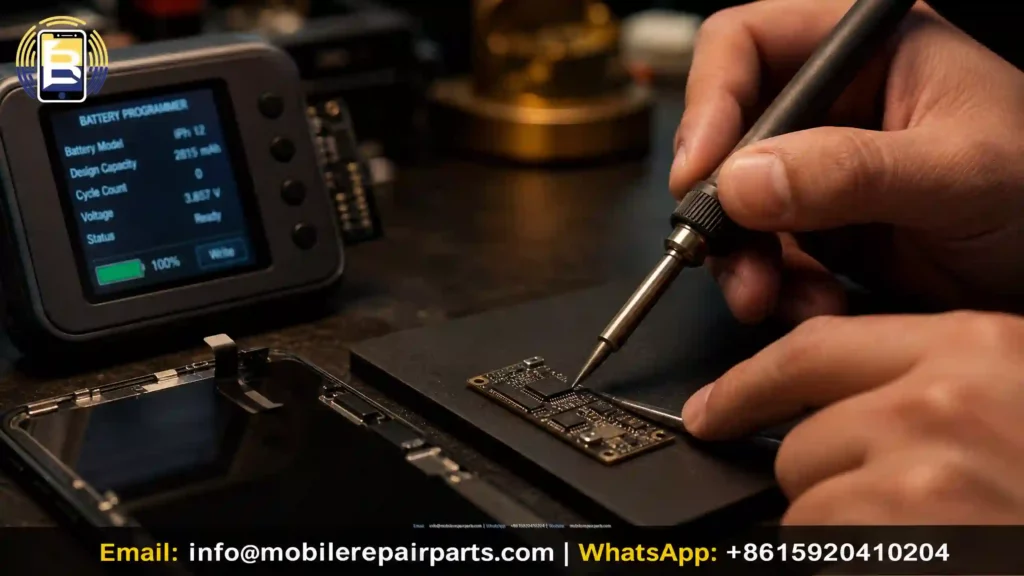
The technician is the last point of quality control before a part reaches the end customer. In 2026, a professional technician in Mexico City, Medellín, or Santiago needs to operate with three core competencies:
When and how to transfer the IC chip. Transferring the original IC chip from the old screen to the replacement screen is the most reliable method for eliminating the “Unknown Part” warning. This requires a precision soldering station and knowledge of the correct solder points for each iPhone model.
When to use a battery programmer. Some batteries ship with integrated IC support. Others require an external Battery Programmer to register the new battery in the iOS system. Knowing the difference reduces post-repair complaints by a significant margin.
How to communicate iOS warnings to the customer. Some iOS messages are informational, not functional — the phone operates normally but the customer is alarmed. A technician who can explain this clearly and confidently retains the customer and protects the shop’s reputation.
What to Require From an iPhone Parts Wholesale Supplier in 2026
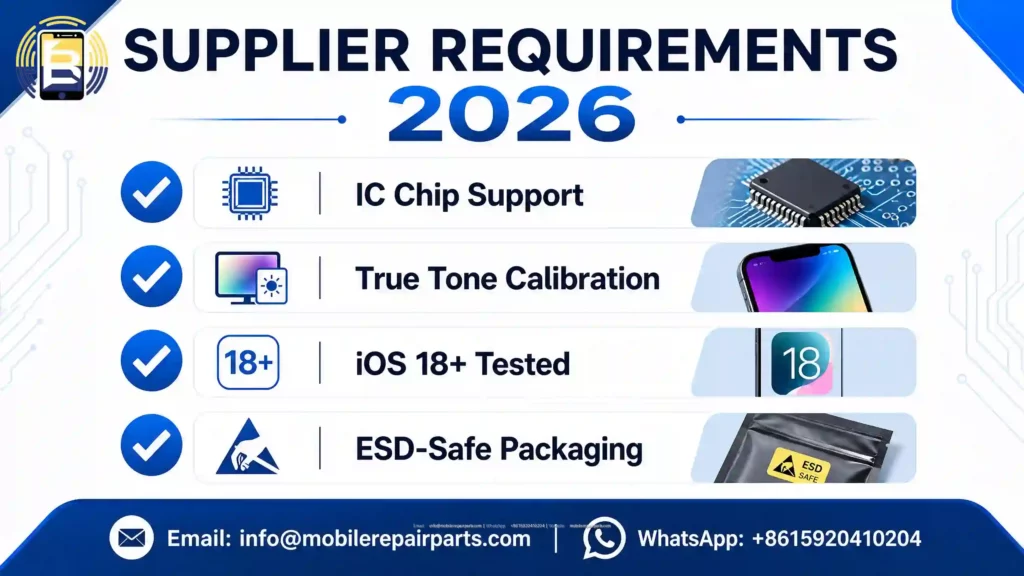
If you are importing iPhone spare parts from China to Latin American markets, these are the non-negotiable requirements for 2026:
Screens:
- IC Chip transfer support documented
- True Tone calibration support for compatible models
- Tested against the current iOS release before shipment
- Anti-static (ESD-safe) packaging to protect IC during transit
Batteries:
- Battery Health display without warning messages on supported models
- High-density cells (no refurbished cells with reset charge cycle counters)
- Confirmed compatibility with iOS 18 and subsequent point releases
Cameras:
- Exact model number match verified
- OIS (Optical Image Stabilization) tested pre-shipment
- Clear documentation on Face ID compatibility for front camera assemblies
Conclusion: Compatibility with iOS is a business standard, not just a technical detail
By 2026, the difference between “mobile phone parts that can be installed” and “parts compatible with iOS” will be the most commercially significant distinction in the iPhone repair parts supply chain. Wholesalers who treat this as a minor issue will lose customers to competitors who understand that the quality of iPhone parts is now as much a matter of software as it is of hardware.
If you need a reliable wholesale supplier of iPhone parts—tested for iOS compatibility, shipped directly from China, and backed by technical expertise tailored to the Latin American market—explore the full product catalog and wholesale prices at BETA Electronic Co LTD via mobilerepairparts.com.
Can iOS updates disable genuine Apple parts that were not re-paired?
Yes. Even original Apple components transferred from another device can trigger warning messages if the original IC chip was not transferred or the part was not re-calibrated, because iOS verifies the serial number tied to the processor.
What is the difference between “Unknown Part” and “Unable to Verify”?
“Unknown Part” means iOS received no recognizable serial data from the component. “Unable to Verify” means authentication was attempted but failed — this message may disappear after restart in some cases, while “Unknown Part” persists.
How do I confirm a wholesale battery lot is compatible with iOS 18?
Request explicit written confirmation from the supplier that the battery has been tested on iOS 18, and that IC programming is supported for models from iPhone XS onward.
Are Soft OLED screens less likely to trigger iOS warnings than Incell screens?
Yes, in general. Soft OLED screens support IC chip transfer and True Tone calibration more reliably, which reduces warning message frequency compared to Incell or TFT alternatives.1